

Appearance
Vehicle Compliance
Track MOT, tax, insurance, mileage checks, and other checks for each vehicle so your fleet stays roadworthy and ready for bookings.
Require compliance
You can choose whether vehicles must have valid compliance records before they can be used.
- Go to Settings.
- Click Options.
- Open the Vehicles tab.
- Turn Require compliance for vehicles? on or off.
- If it is on, tick the checks you need in Compliance types required.
- Click Save settings.
When compliance is required
With this turned on, vehicles must have an active record for each required type. Missing types appear as compliance issues on the vehicle and in fleet-wide summaries.
Start with the checks you enforce
You do not need to require every type. Select only the compliance types your organisation actually tracks.
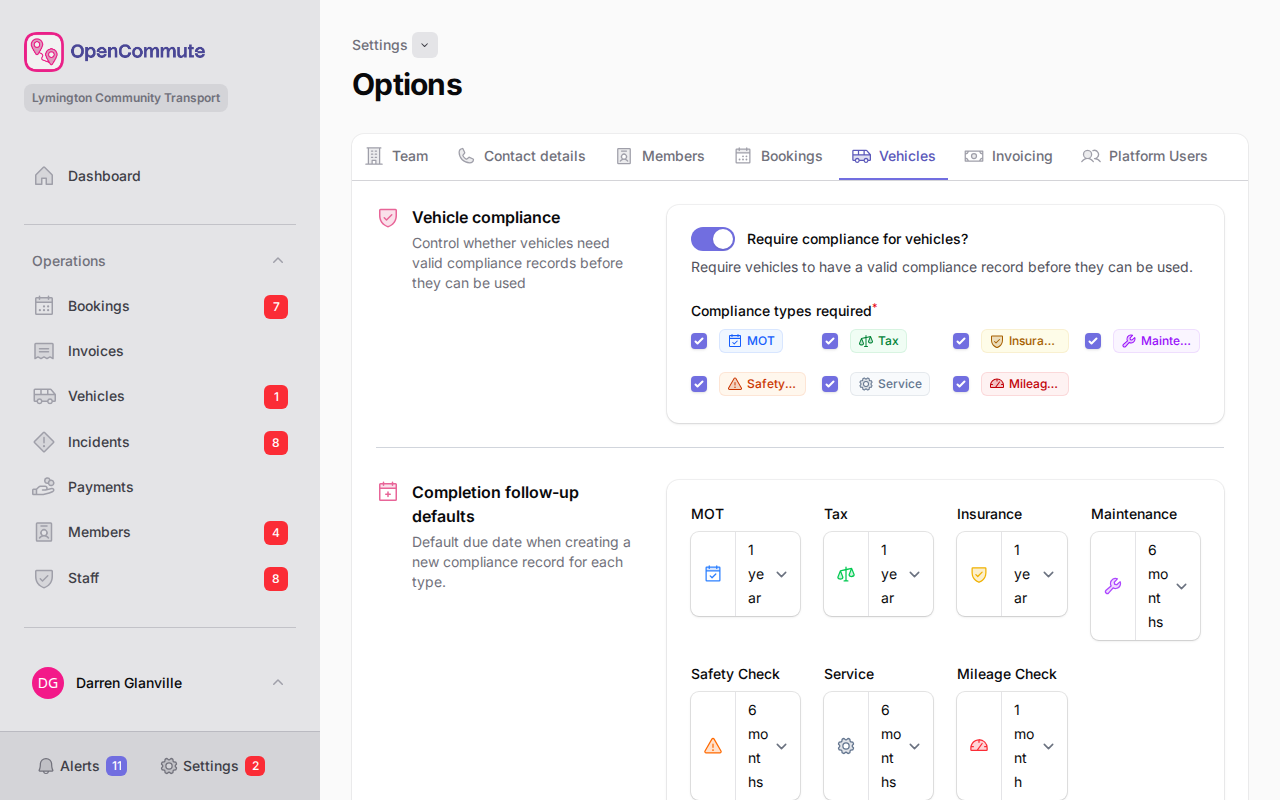 An example of turning on required compliance types in Options.
Add a compliance record
- Go to Vehicles.
- Open the vehicle.
- Go to the Compliance Records tab.
- Click Create.
- Select the compliance type.
- Review the Previous record table if an active record already exists for that type.
- Enter a Due date, and add any reference, notes, or documents.
- For Mileage Check, enter Mileage now to record the current odometer reading.
- Click Create.
One active record per type
Adding a new record for a type automatically marks any older active records of the same type as complete.
Previous record reference
When you create a record, the form shows any other active record for the selected type. When you edit a record, it shows the prior record for that type instead of the one you are editing. Completed records are only shown when editing, not when creating a new record.
Adding a record confirms the check
By adding a record, you are stating that the check has been completed for that due date.
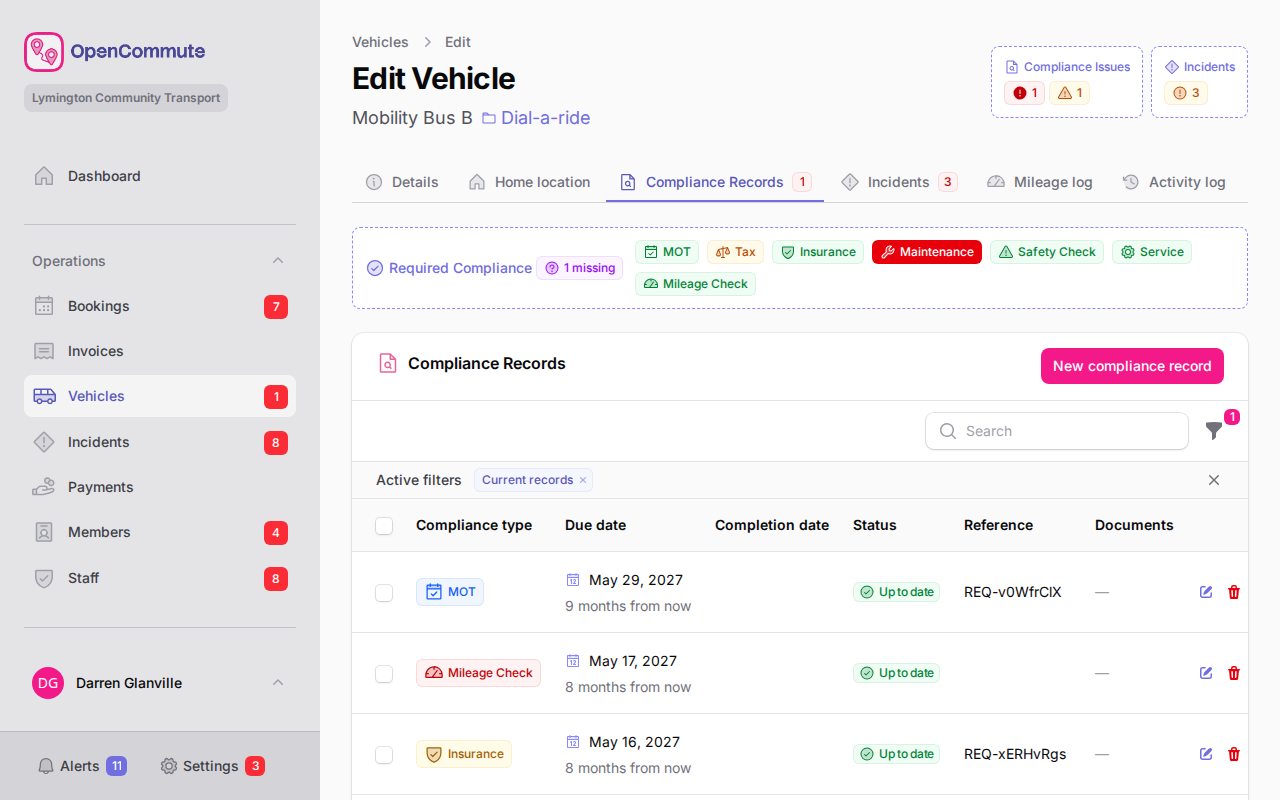 An example of adding a new compliance record to a vehicle.
Upload documents
You can attach certificates, receipts, or other proof to a compliance record.
- Open or create a compliance record.
- In Documents, upload images or PDF files.
- Save the record.
- To download files later, open the row actions and click Download Documents.
Understand compliance issues
Compliance issues help you spot problems before a vehicle is used.
| Badge / status | Meaning |
|---|---|
| Expired | The due date has passed and the record is not complete. |
| Expiring | The due date is within the next 30 days. |
| Missing required | A required compliance type has no active record. |
| No Issues | No expired, expiring, or missing required records. |
| Up to date | The record is current and not yet due. |
On the Vehicles list, overdue vehicles are highlighted and the Compliance column shows issue counts. A badge on Vehicles in the side menu also shows how many active vehicles have overdue compliance.
Filter to problem vehicles
On the Vehicles list, turn on With Compliance Issues in Filters to see only vehicles that need attention.
Filter compliance records
On the Compliance Records tab for a vehicle:
- Open Filters.
- Choose compliance types to include.
- Turn Current records on or off to show only active records or include completed ones.
Compliance record columns
These are the columns available and a small description of each one.
| Column | Description |
|---|---|
| Compliance type | The type of check, such as MOT, Tax, Insurance, or Mileage Check. |
| Due date | When the check is due. Overdue rows are highlighted. |
| Completion date | When the record was superseded by a newer record of the same type. |
| Status | Whether the record is up to date, expiring, expired, or completed. |
| Reference | A reference number or identifier for the check. |
| Documents | How many files are attached to the record. |
Mileage checks
Mileage Check records let you verify the vehicle odometer against booking mileage. When you create a mileage check:
- The form shows the vehicle's current mileage from the mileage log.
- Mileage now is pre-filled from the latest mileage log entry.
- Saving the record adds the reading to the vehicle Mileage log tab.
When you edit an active mileage check, Mileage now lets you update the linked mileage log entry and the record reference.
Deleting a mileage check compliance record also removes its linked mileage log entry.
See also: dial-a-ride minibuses