

Appearance
Stats Overview
View live charts and summaries for bookings, vehicles, members, staff, subscriptions, invoicing, and payments.
Open Stats
- Go to Insights.
- Click Stats.
- Choose a sub-page from the menu:
- Bookings
- Vehicles
- Members / Staff
- Subscriptions
- Invoicing
- Payments
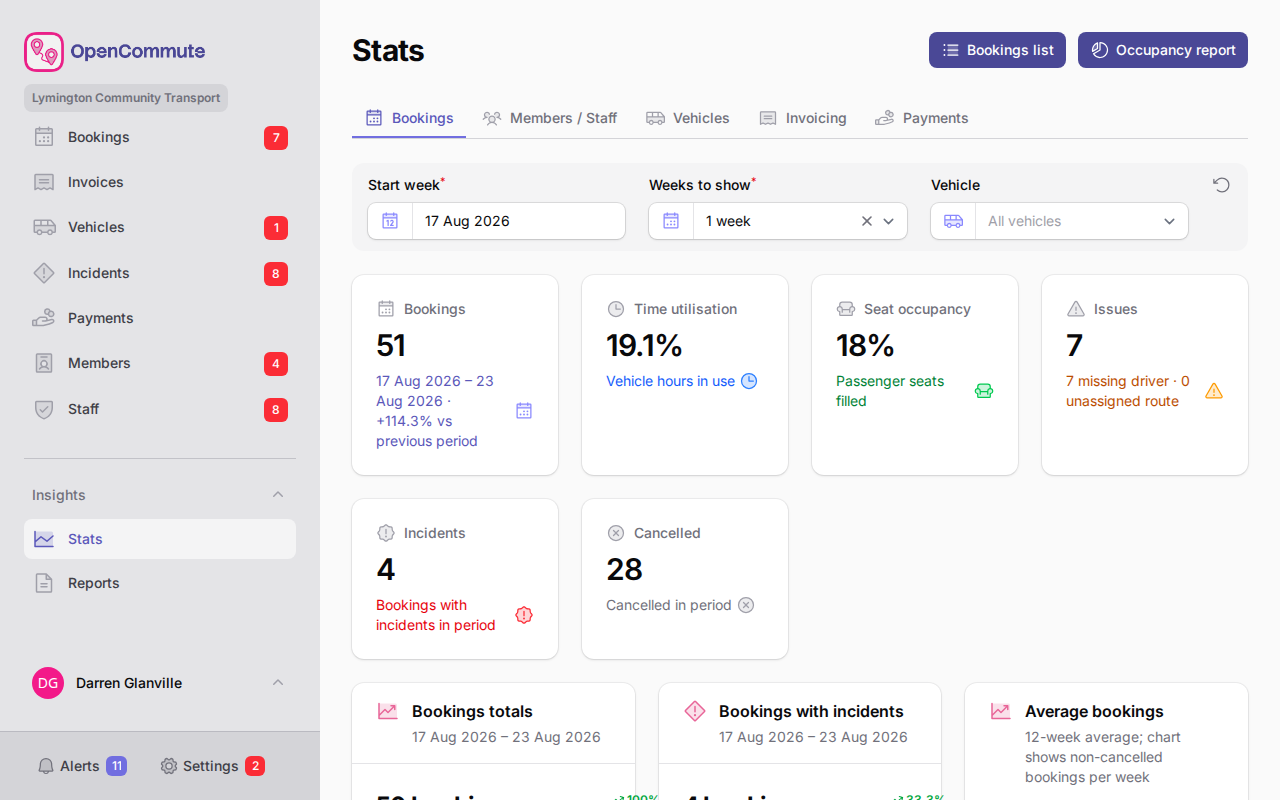 An example of the Bookings stats page with volume and performance charts.
Bookings stats
See booking volume, utilisation, issues (including missing BSOG codes on flagged vehicles), incidents, daily performance, recorded miles by BSOG service code when you use the catalogue, and a breakdown by booking type.
Use this page to spot busy periods or recurring problems on the diary.
Vehicles stats
See fleet compliance status, incidents, most-used vehicles, and incident volume over time.
Members and Staff stats
See member and staff overview counts, types, recent joins, compliance and training status, and driver readiness.
When the OpenCommute app is enabled, this page also shows On the app (active members who have linked the app) and Active on app (those who used it in the last 30 days), plus an App coverage chart. Click On the app on the chart to open Members with that filter.
Direct Debit coverage is shown for billable members when GoCardless is connected and offered on invoices: how many have an Active or Pending mandate, how many are Failed or cancelled, and how many have None. The selected weeks also count members with a failed card or Direct Debit collection when Stripe or GoCardless is offered.
Payments stats
See cash collected in the selected weeks, split by payment method. When Stripe or GoCardless is connected and offered on invoices, those totals are shown separately, with pending Direct Debit still confirming, failed online collections, and reversed (voided) online payments.
Subscriptions stats
See how many members and organisations have an active, unpaid, cancelled, overridden, or missing subscription. Charts also show new subscriptions and issued membership invoice totals for the selected weeks.
Invoicing stats
See revenue totals and revenue volume charts for your team's billable work.
Pair stats with reports
Stats are live dashboards. For printable tables and date-range exports, use Reports.
Related guides
- Reports Overview — printable reports by date range
- Managing Alerts — actionable items that may appear in stats
- Dashboard and Onboarding — dashboard widgets with similar summaries