

Appearance
Reports Overview
Run printable reports for bookings, vehicles, members, staff, and invoicing over a date range you choose.
Open Reports
- Go to Insights.
- Click Reports.
- Use Search reports... to find a report by name, or browse the cards on the hub.
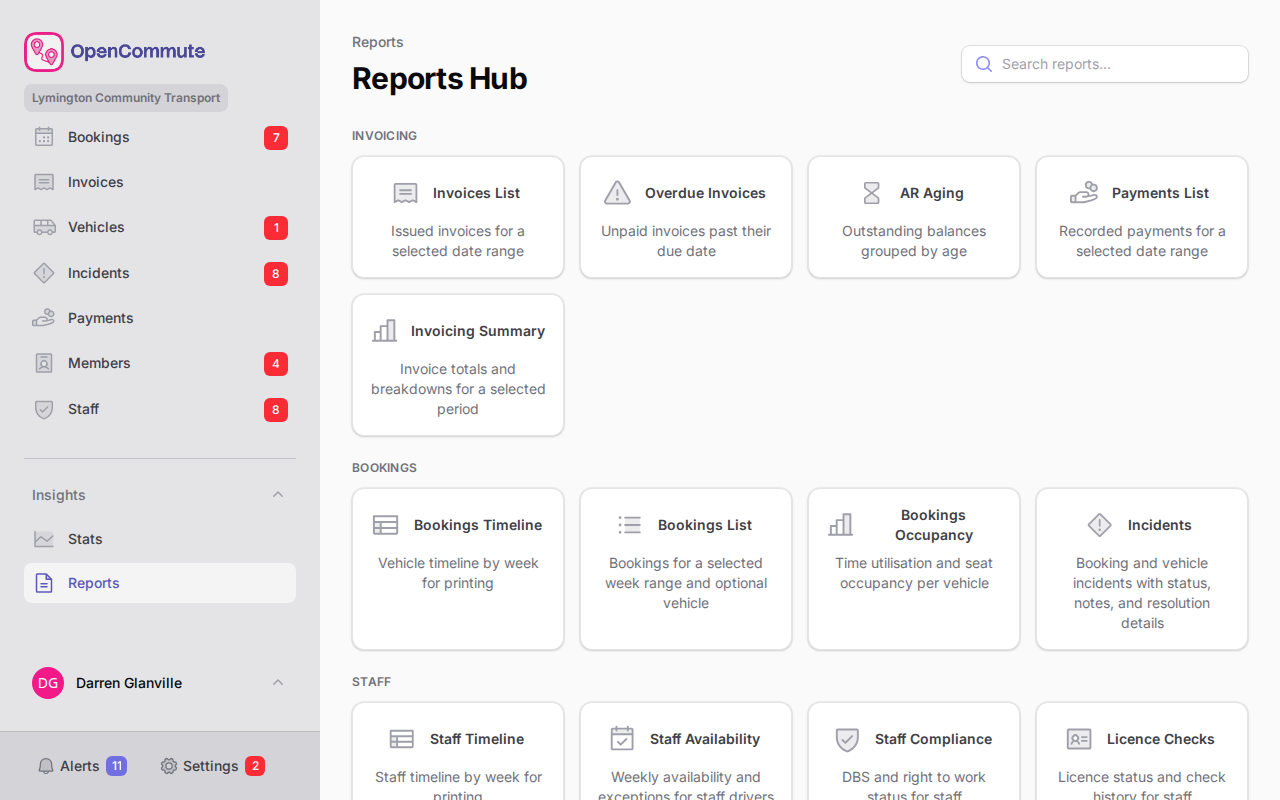 An example of the Reports hub showing available report cards.
Bookings reports
| Report | What it shows |
|---|---|
| Bookings List | Bookings for a selected week range and optional vehicle, including the BSOG service code when assigned |
| Bookings Timeline | Vehicle timeline by week — useful for printing |
| Bookings Occupancy | Time utilisation and seat occupancy per vehicle |
| Mileage | Estimated, recorded, expected vs recorded, billable, and invoiced miles by vehicle, type, driver, and BSOG service code, plus trips missing end mileage or a required BSOG code |
| Incidents | Booking and vehicle incidents with status and resolution details |
Staff reports
| Report | What it shows |
|---|---|
| Staff Timeline | Staff driver timeline by week for printing |
| Staff Availability | Weekly availability and exceptions |
| Licence Checks | Licence status and check history |
| Sign Offs | Driving sign-off status |
| Staff Compliance | DBS, right to work, and First Aid status |
| Staff Qualifications | Held qualifications grouped by type, with a summary, expiry dates, and status for each |
Members reports
| Report | What it shows |
|---|---|
| Members Totals | Member counts and compliance overview |
| Subscriptions | Membership subscription status for members and organisations |
| Direct Debit | Mandate status, scheme, and account holder for members and organisations (shown when GoCardless is offered on invoices) |
| Member Training | Training completion summary per member |
| Driver Own & Group Members | Licence, sign-off, and training for driver and group members |
Vehicles reports
| Report | What it shows |
|---|---|
| Vehicles List | Printable fleet list with registration, type, and notes |
| Vehicles Compliance | Fleet compliance summary per vehicle |
| Vehicle Bookings | Weekly booking counts and 12-week average per vehicle |
Invoicing reports
| Report | What it shows |
|---|---|
| Invoices List | Issued invoices for a selected date range |
| Invoicing Summary | Invoice totals and breakdowns for a period |
| Overdue Invoices | Unpaid invoices past their due date |
| AR Aging | Outstanding balances grouped by age |
| Payments List | Recorded payments for a date range, with method and voided filters, plus pending and failed online collections when Stripe or GoCardless is offered |
| Online collections | Stripe and GoCardless in-flight, failed, and reversed collections for a date range (shown when a provider is offered on invoices) |
Run a report
- Open the report from the hub.
- Set the date range or filters shown at the top.
- Review the results on screen.
- Use Print or Export CSV where available.
Start from the calendar
The Bookings Timeline report can also be opened from a link on the bookings calendar when you need a printable week view.
Related guides
- Stats Overview — live charts and summaries
- Mileage and Invoicing — record end mileage used by the Mileage report
- Managing Incidents — resolve incidents shown on reports
- Vehicle Compliance — fix compliance issues highlighted in vehicle reports