

Appearance
Support
Search help articles before you contact the team. Type a question to find a short answer and a link to the full guide.
Open Support
You can open Support from Settings or the dashboard.
From Settings
- Click Settings in the footer menu.
- On the settings hub, click Support.
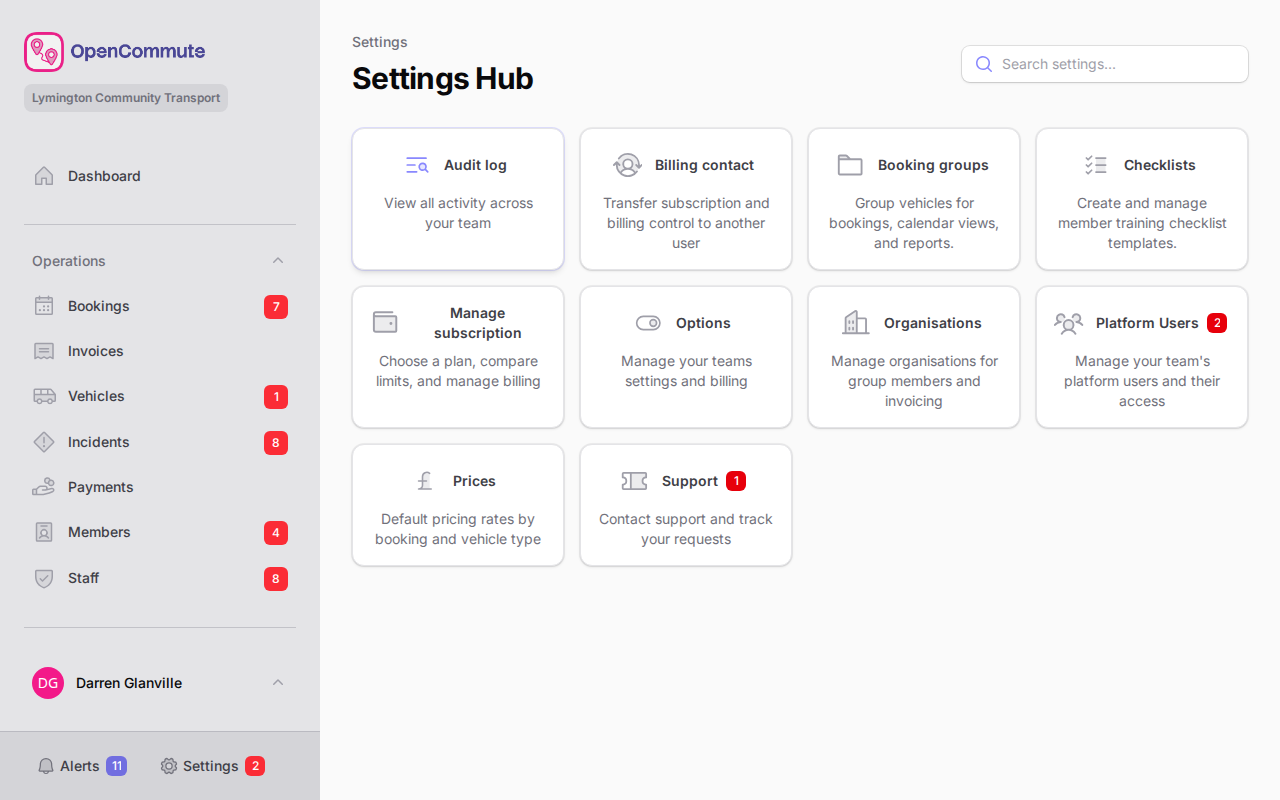 An example of opening Settings and choosing Support from the hub.
From the dashboard
- Open the Dashboard.
- Click Support in the header.
Search the knowledge base
- Go to Settings > Support.
- Type a question in the search field — for example
how do I create a booking. - Review the matching articles.
- Click Read the guide to open the full docs page.
If you have not typed a question yet, a few suggested articles appear first.
Keep search words short
A short phrase such as invoice, vehicle, or invite usually finds a guide faster than a long sentence.
Check platform status
If pages are slow to load or you cannot sign in, open the public status page first. It shows whether the platform is operational.
You can also open Status from the top of this docs site, or from Resources in the marketing site footer.
Contact support
Email support@opencommute.uk if you need help with OpenCommute.
If the knowledge base does not answer your question and you have billing access, open Support tickets from the settings hub, or raise a ticket from this page.
- On the settings hub, click Support tickets, or scroll to Contact support on this page.
- Click Create a ticket to start a new request, or View your tickets to open existing ones.
Billing access required
Only users with billing access (usually the billing contact) can create and manage support tickets. Everyone can search the knowledge base.
For ticket replies, statuses, and screenshots, see Support Tickets.
Related guides
- Support Tickets — create and track support requests
- Changing Billing Contact — who can manage billing and tickets
- Get Started — how to search the docs site
- Status page — check whether the platform is operational