

Appearance
Recurring Bookings
Create a repeating series of bookings — for example, the same internal trip every week — instead of entering each date separately.
Create a recurring booking
- Go to Bookings.
- Click New booking.
- Set the Booking type, Vehicle, and first Schedule as usual.
- Turn on Repeat.
- Choose Frequency — Weekly or Monthly.
- Set how many occurrences to create — for example Repeat for how many weeks?
- For monthly repeats, choose Repeat on (which week and weekday).
- Review the Preview dates list.
- Complete any type-specific fields, then save.
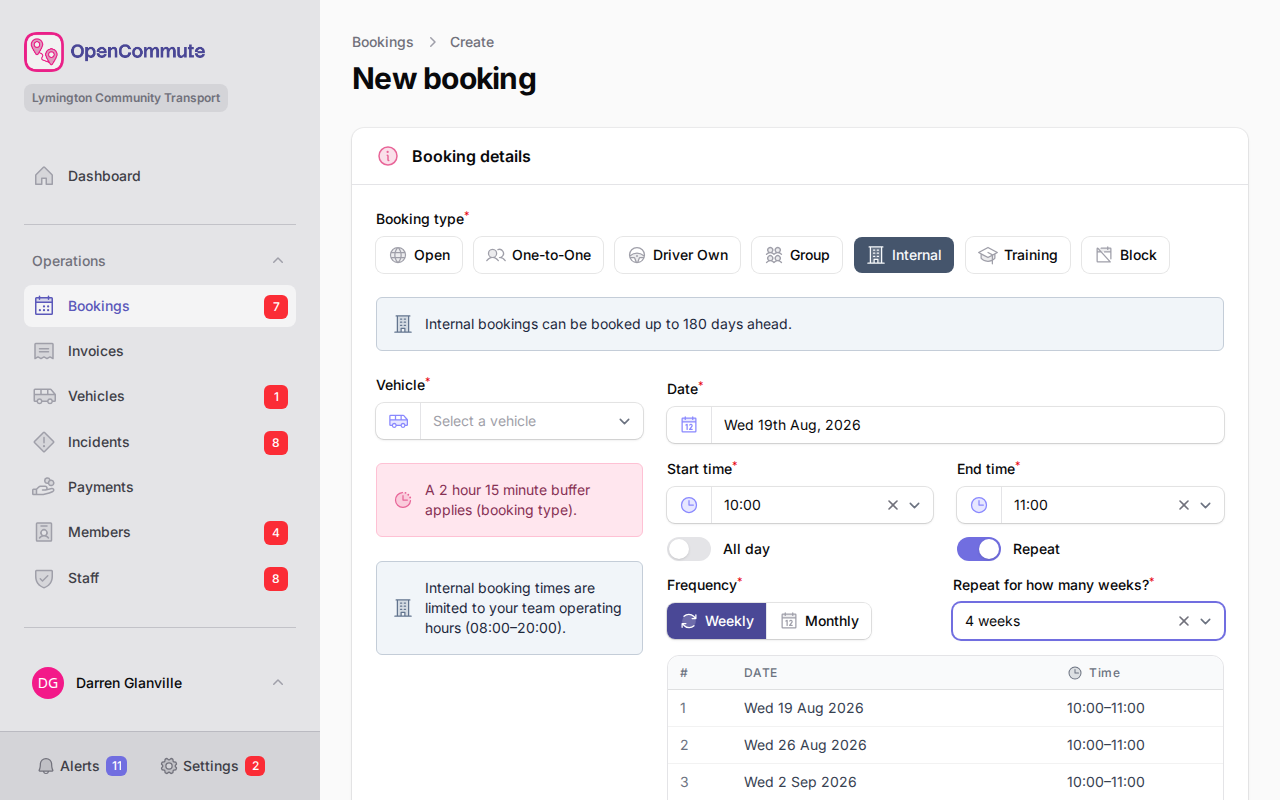 An example of setting up a weekly recurring booking series.
Handle conflicts on create
If some dates clash with existing bookings or buffers, a dialog appears:
- Create valid bookings only — skips conflicting dates
- Create all (conflicts as draft) — creates every date; conflicts are saved as draft for you to fix later
Choose the option that fits your workflow.
Edit a recurring booking
- Open a booking that is part of a series.
- Change the details you need.
- When you save, choose how to apply the change:
- This occurrence only
- Apply to valid occurrences only
- This and all future occurrences
A preview shows which dates will be updated. If future dates conflict, you may see Apply to valid only or Apply all (conflicts as draft).
View the series
- Open any booking in the series.
- Go to the Series tab.
This tab shows linked occurrences and series details.
Cancel a recurring booking
- Open the booking.
- Go to the Options tab.
- Click Cancel booking.
- Enter a reason — it is stored on each cancelled occurrence and its Activity log.
- Choose whether to cancel this occurrence only or this and all future occurrences.
Each cancelled occurrence shows who cancelled it and the reason they entered. Other cancellation reasons are listed in Managing Bookings.
Cancelled bookings are ignored when checking overlaps for new bookings.
Same rules as single bookings
Buffers, operating hours, driver overlap, and vehicle overlap rules apply to each occurrence in the series.
Related guides
- Managing Bookings — list and calendar views
- Internal Bookings — common use for repeating staff trips
- Block Bookings — single blocks without a series
- Booking Buffers — gaps enforced between occurrences
See also: regular dial-a-ride passengers